

Free
For getting started.
$0
One-time allowance · No card required
5 pages included
- Full access to AI detection & OCR
- Clean exports, no watermarks
- Upgrade only when you need more

Find sensitive information automatically. Review each match, redact PDFs offline, and check the saved result—all on your device, with no document uploads.
Windows 10 & 11 · 64-bit · Version 1.2.0 · 982 MB
macOS 12 or later · Apple silicon · Version 1.1.0 · 1.06 GB
For your Windows or Mac computer.
5 free pages. No credit card required.

 Legal
Legal Finance
 Government
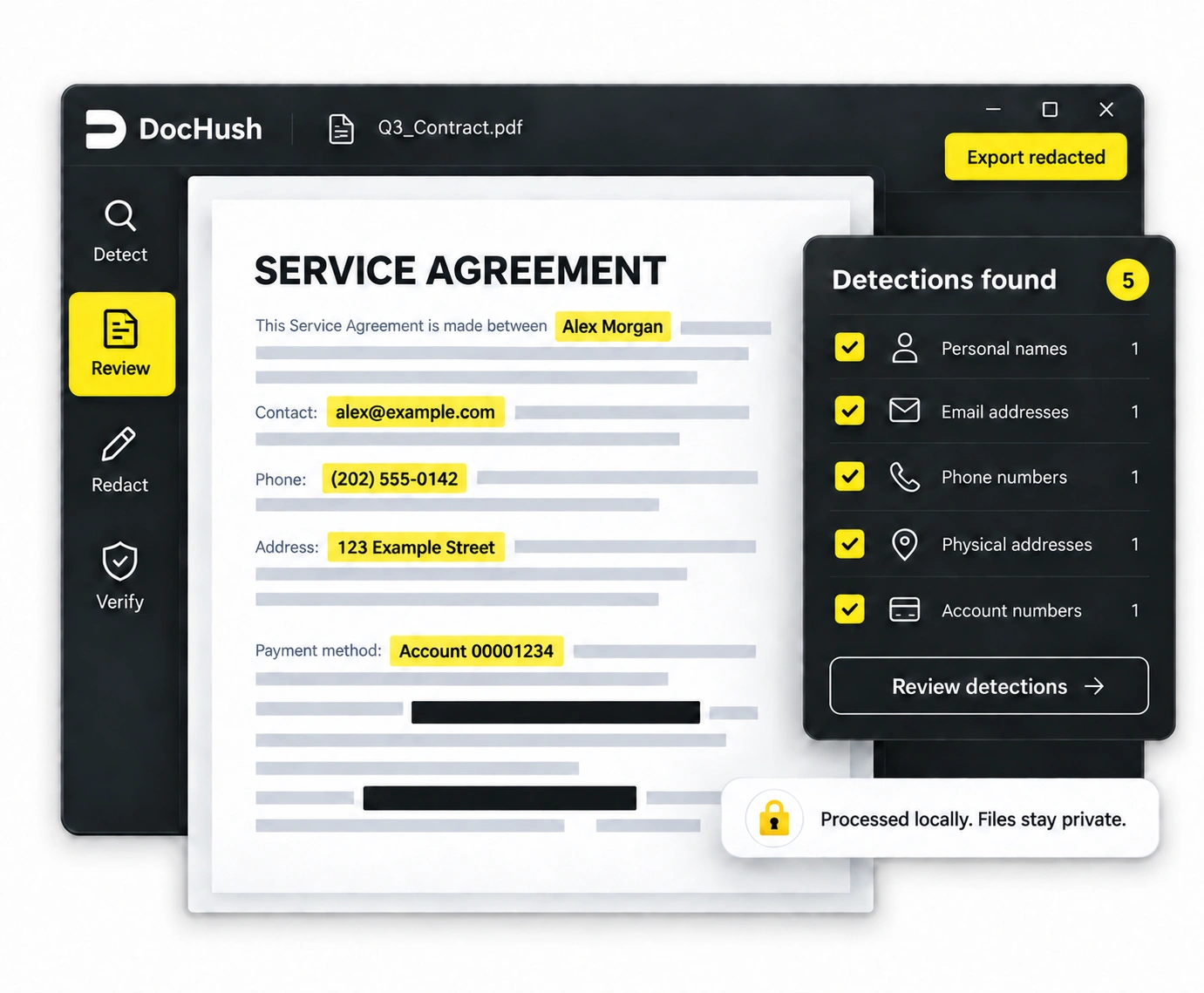
Local AI and pattern rules suggest content to review, including text recognized on scanned pages. You decide what to redact.
Ready for review
Detect and redact offline.
No document uploads.
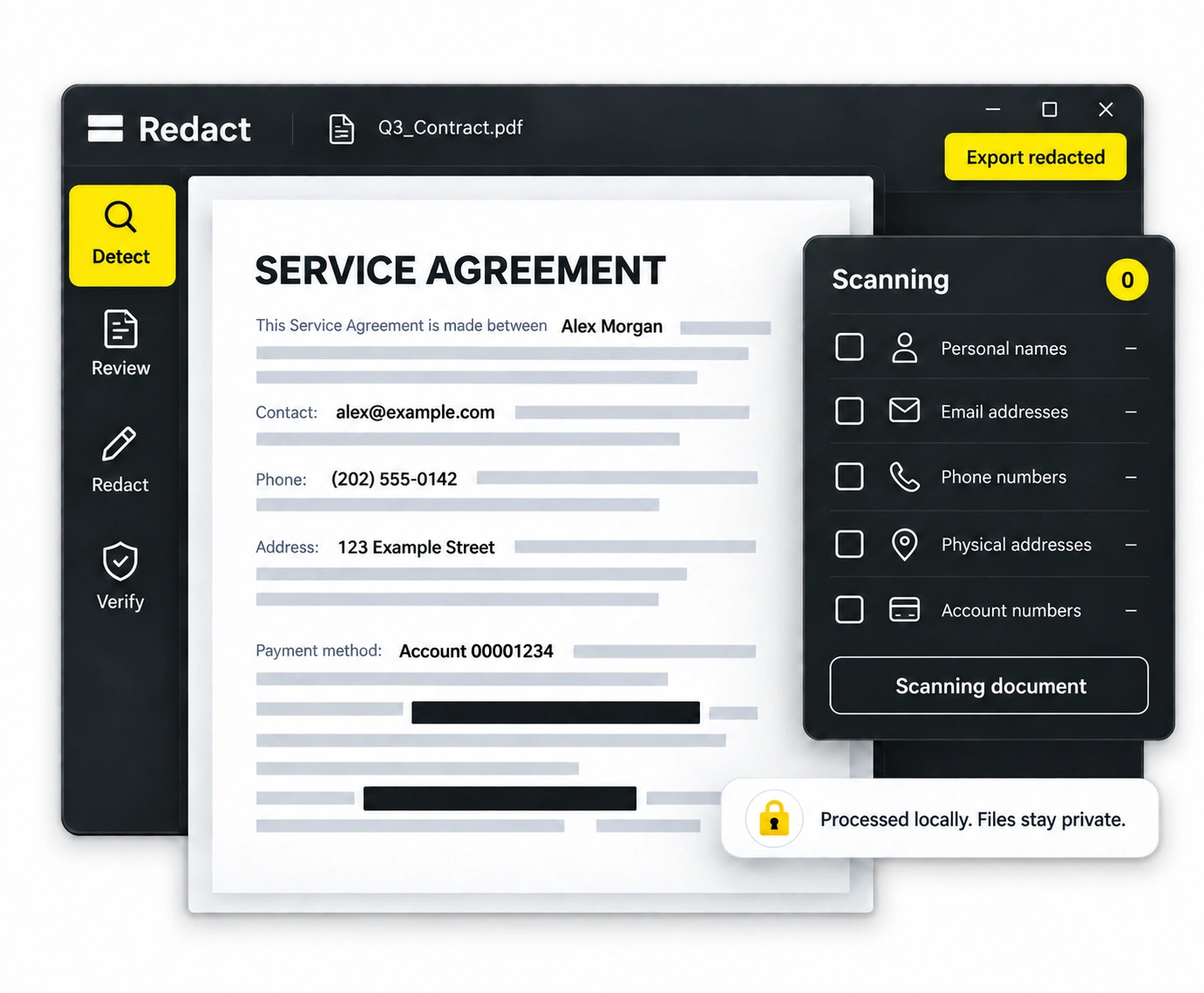
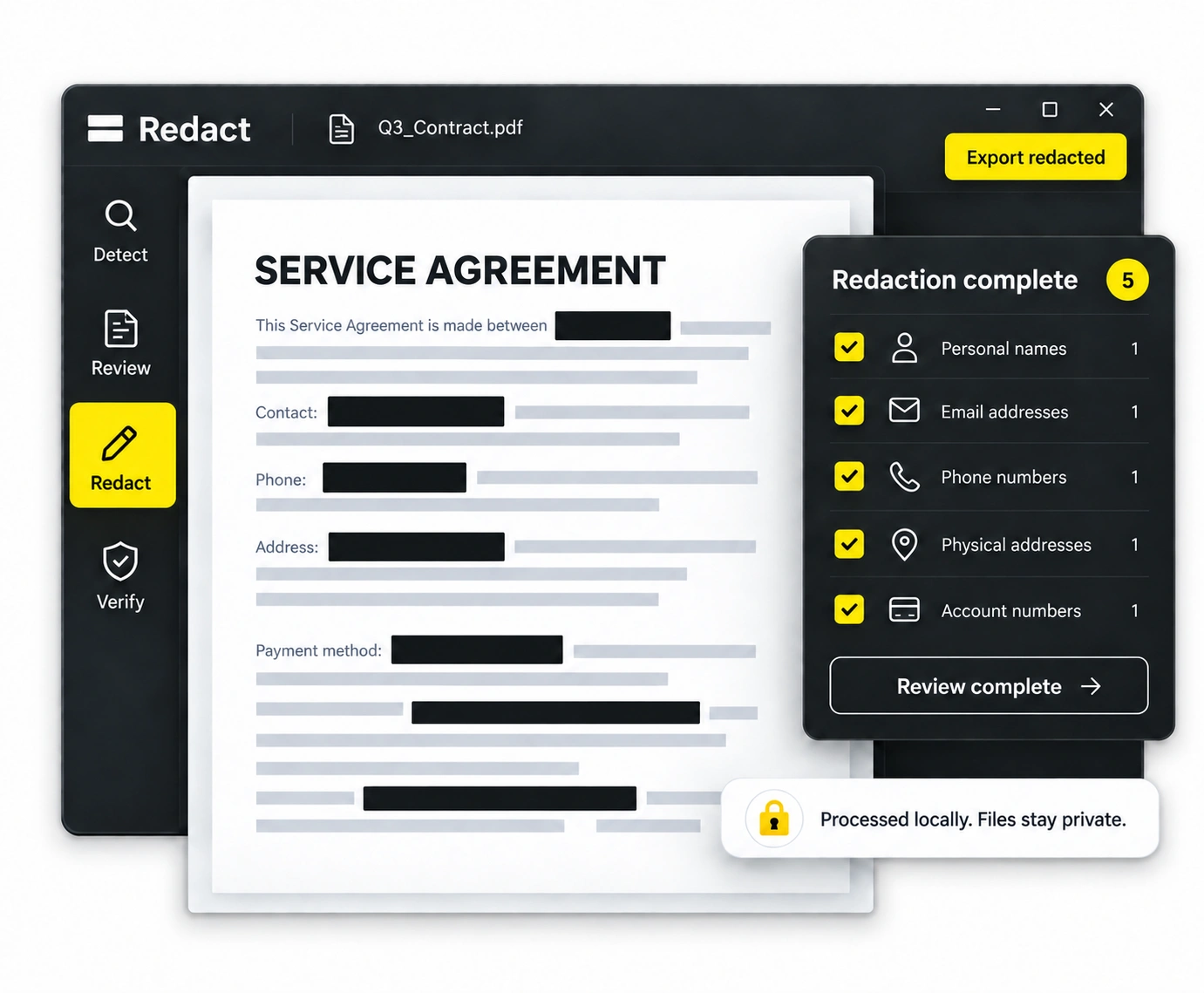
Animated illustration of offline PDF detection and redaction.
Three steps, all on your computer.
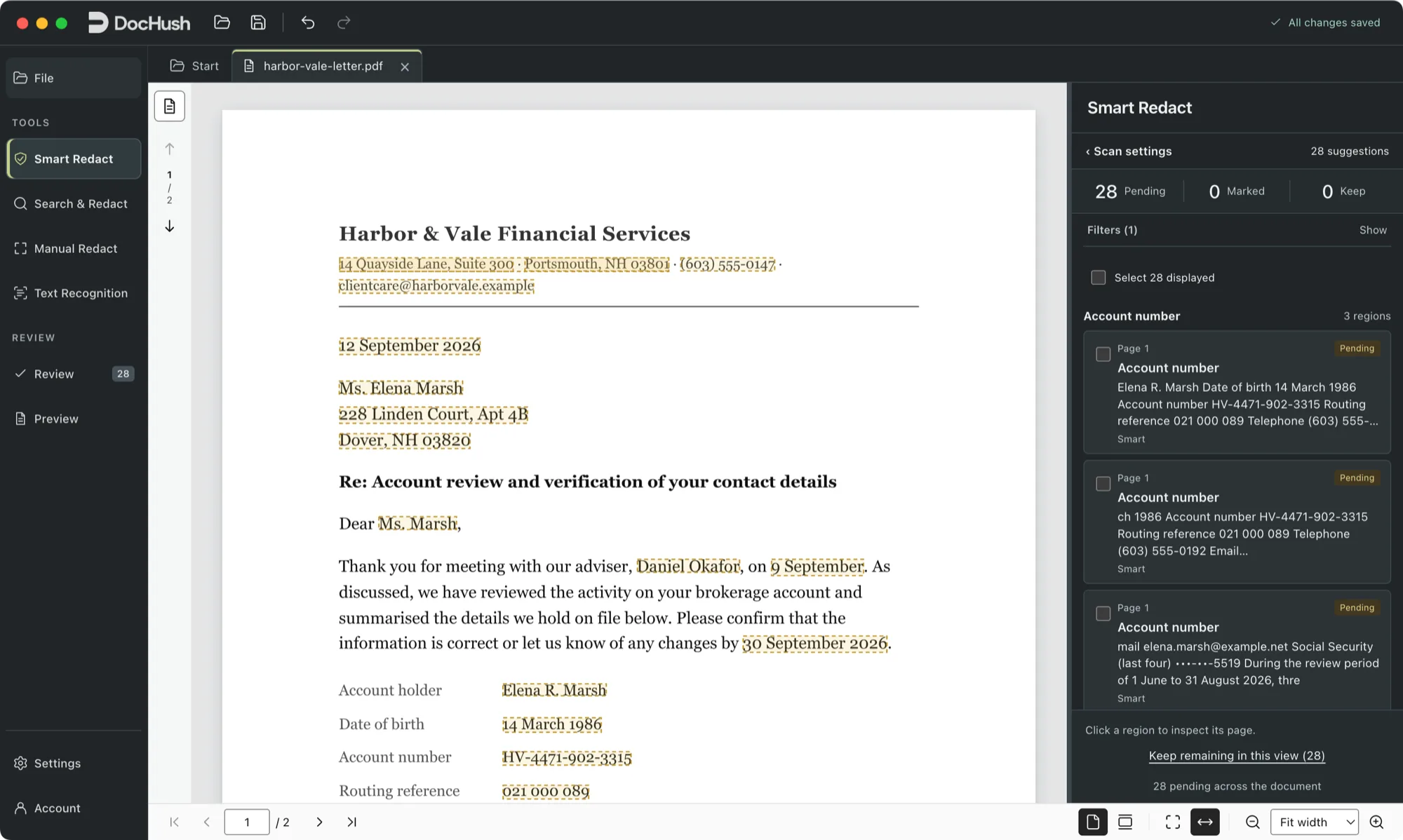
Scan the PDF on your computer. Local AI and pattern rules propose names, contact details, account numbers and other identifiers, including OCR text from scanned pages. No document uploads.
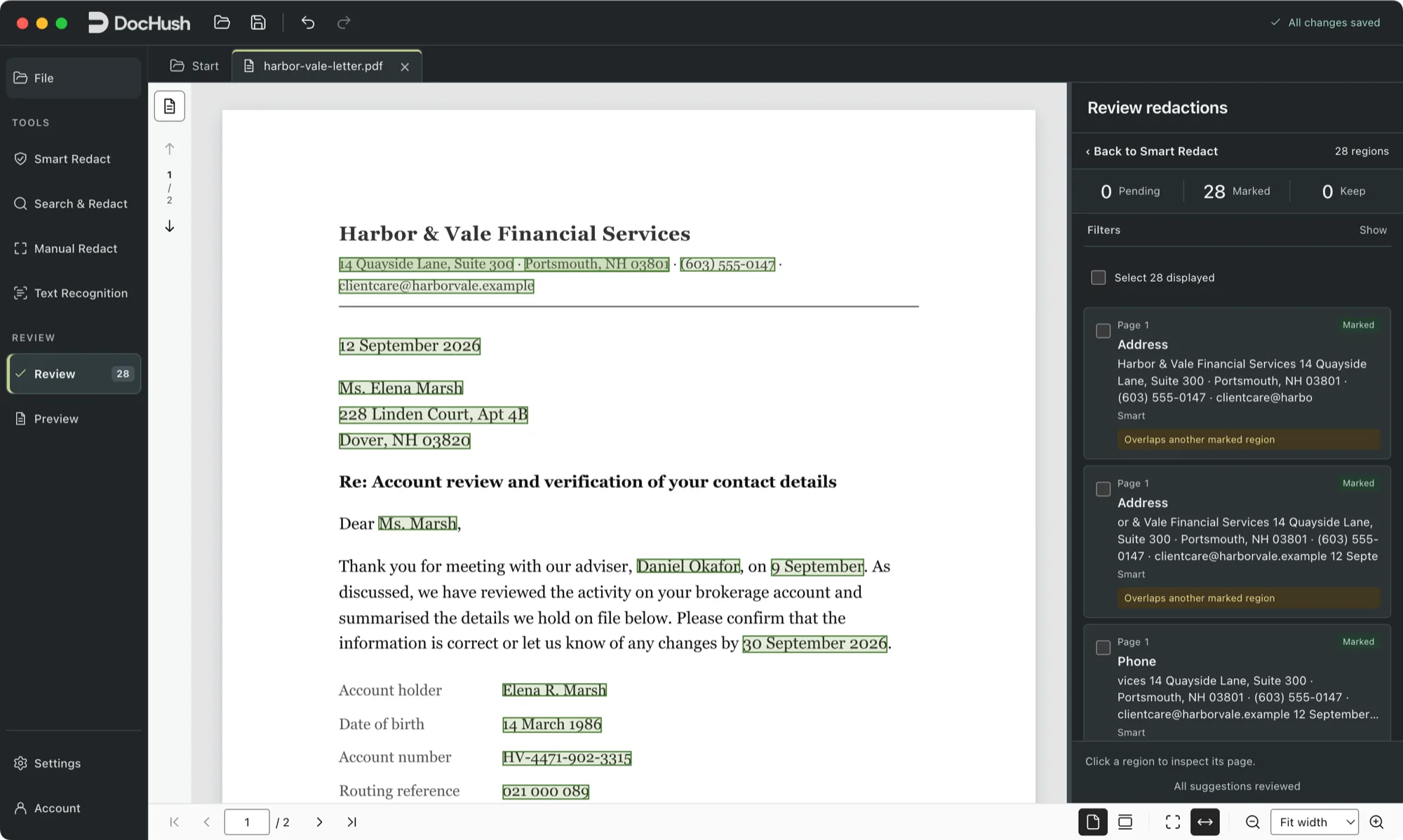
Accept or reject each candidate in context and add manual marks for anything detection did not suggest. Detection proposes; you decide.
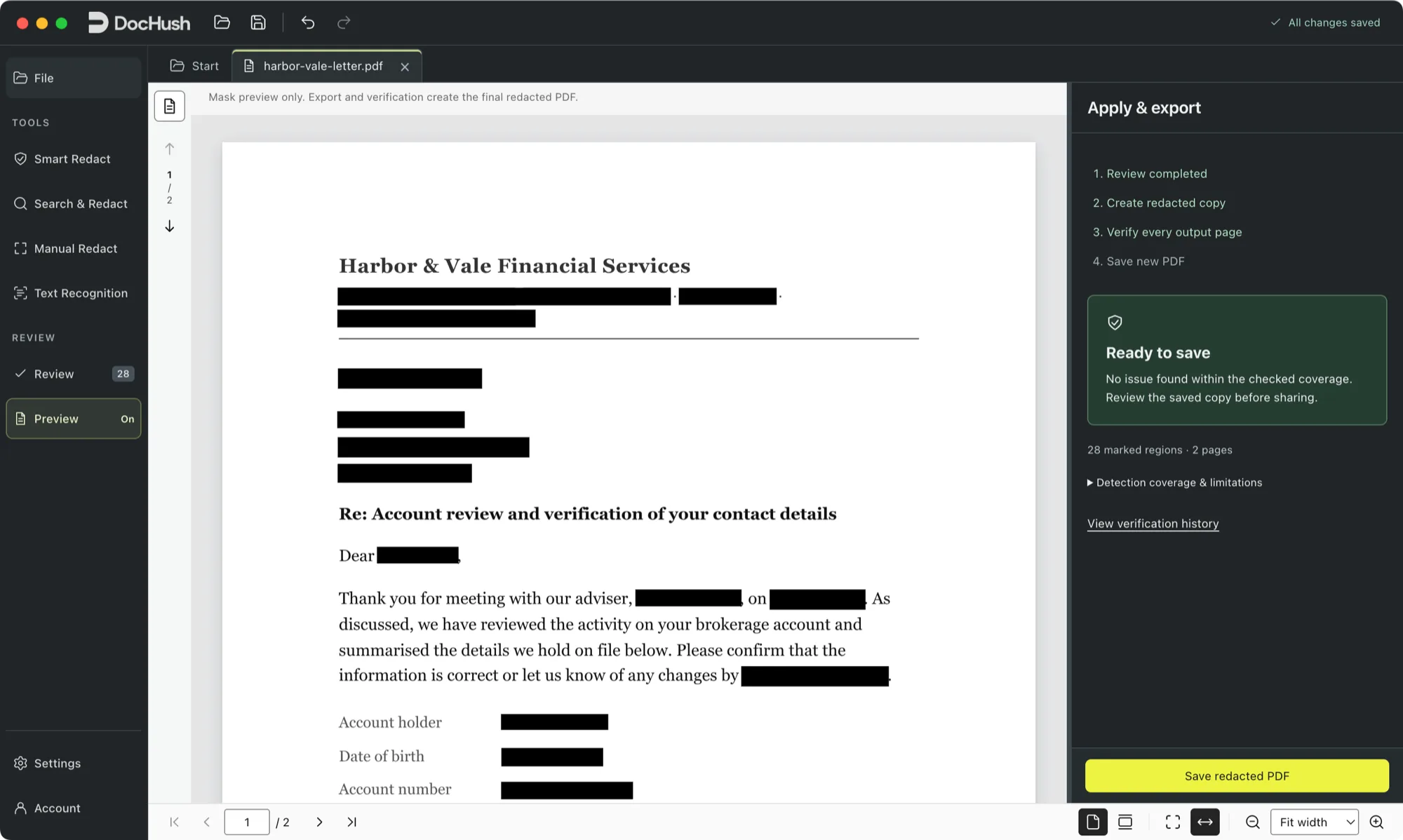
Approved regions are burned into re-rendered page images and written to a new PDF; on Windows, searchable text recognized from those images is added by default. Verify reopens the output and checks the approved regions within a stated scope.
Detection, review, export and verification run on your computer and work offline. Signing in, buying pages and updates need an internet connection.
Choose your industry. See the documents and details DocHush can help you protect.
Prepare contracts and case documents for external review while keeping client names and contact details private.
Redact a contractPrepare receipts, expense reports and statement extracts for external review. Keep the amounts and references readable while removing personal details.
Redact expense reportsPrepare medical record PDFs for teaching. Review patient names, record numbers and contact details while keeping the approved clinical passages readable.
Redact medical recordsPrepare public records and application files for release with personal names, addresses, and identifiers redacted.
Redact public recordsA few pages or your daily workflow. The same powerful redaction in every plan.
For getting started.
$0
One-time allowance · No card required
For occasional projects.
$9 / pack
One-time payment · $0.45 per page
For everyday work.
$79/ year
Billed yearly · About $6.58/month
Checkout is provided by iToolPaw. Sign in to DocHush with the same account to use your pages or plan.
Straight answers about offline processing, automatic detection and what the exported PDF keeps.
Yes, for document work. Detection, OCR, review, export and verification run on your computer and keep working while disconnected, and documents are not uploaded. Signing in, buying pages and updates need an internet connection.
Detection is automatic: local models and pattern rules propose candidates such as names, contact details and account numbers. Removal is your decision. You accept or reject every candidate and add manual marks; DocHush does not redact unattended from start to finish.
Yes. Local OCR helps find candidates on scanned and mixed pages. Recognition can misread faint or skewed text and miss information entirely. Review every page image and add manual marks for anything that was not detected, including handwriting.
Approved regions are burned into re-rendered page images and written to a new PDF. The original text and objects under the marks are not carried into the output; searchable text in a Windows copy is recognized from the redacted images, so it holds only what remains visible. A verification step reopens the saved file to check the approved regions within a stated scope. Keep your original separately.
DocHush exports a new PDF built from the redacted page images. By default, DocHush 1.2 for Windows adds invisible text recognized from those images, so you can search and copy text that remains visible; words next to a redaction and words the recognizer is unsure of are left out, and recognition can contain errors. You can turn it off when you create the copy. DocHush 1.1 for Mac creates image-only pages. Neither version keeps the original text layer, links, form fields, original digital signatures or accessibility structure. Agree on the format with your recipient before you share the file.
DocHush runs on Windows 10 and Windows 11 (64-bit) and on macOS 12 or later with Apple silicon, and is designed for English documents. The release notes list the system requirements and the current input limits, including file size and page count.
Yes. The Free plan is a one-time allowance of 5 pages with no credit card. Page packs are 20 pages for $9 or 100 pages for $29 and never expire, and the Annual plan is $79 per year for one person with unlimited pages. Pages count only after a verified PDF is saved, and pages you already saved in the same project are not charged again.
Yes. DocHush is available to download for Windows (version 1.2) and for Mac with Apple silicon (version 1.1). You can open, scan and review a PDF straight away; to save the redacted copy, sign in or create an account in the app and use your 5 free pages. The free browser PDF redaction checker is also available for a second check of the saved file.
Windows 10 & 11 · 64-bit · Version 1.2.0 · 982 MB
macOS 12 or later · Apple silicon · Version 1.1.0 · 1.06 GB
For your Windows or Mac computer.
5 free pages. No credit card required.Release notes and install help